
To change the status of an Issue on the Onsite iOS APP:
- Click on the issue
- Click on the icon
 located on the bottom left.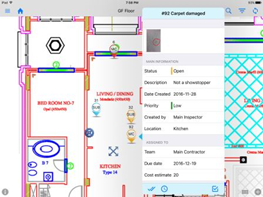
- Click on the Status options. The status list will be available depending on your privilege
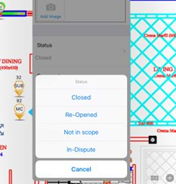
- Choose the new Status you want.
- Click on the “Save” button located on the top right-side of the window.
0 Comments