
To mark-up an Issue on the Onsite iOS APP:
- Drill-down to the area where the issue exists (check drill-down)
- Click on Add issue
- Add an image (camera, gallery, plan)
- Click on the image and then choose Markup.
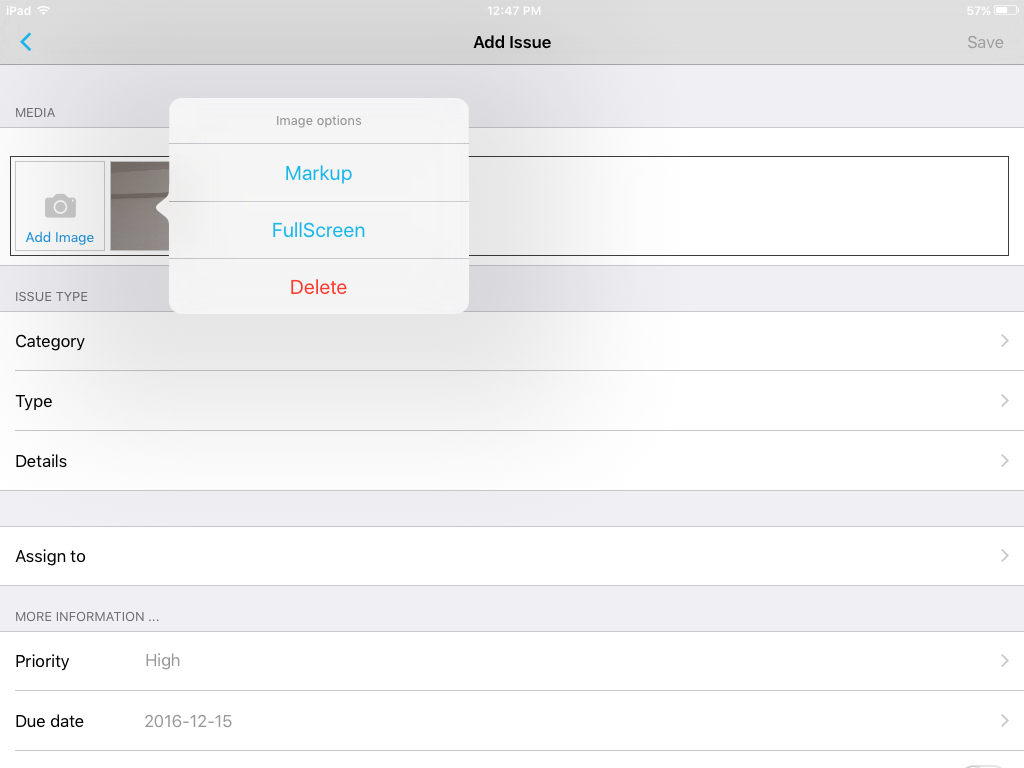

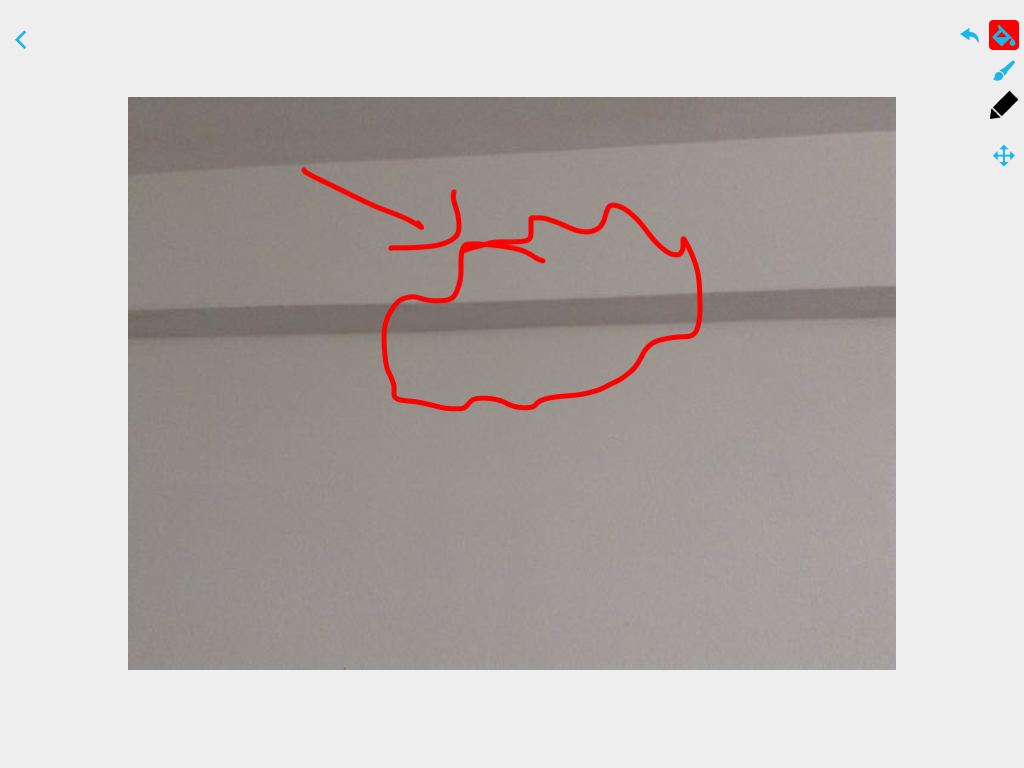
- You can mark up the image.

- To mark-up the image, select the pen tool from the top right menu.
- Click “Save”.
0 Comments